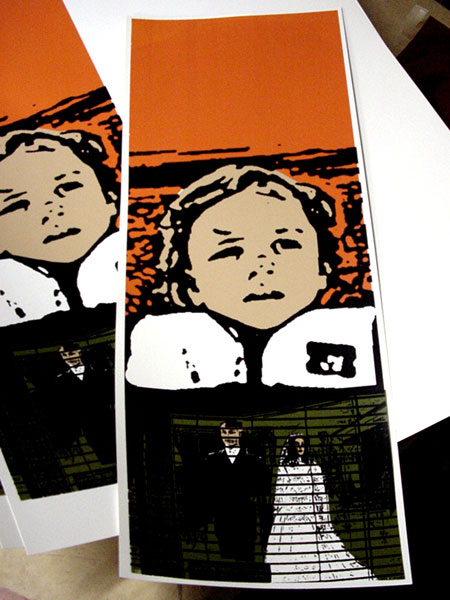
First thing, with screen printing, there is a bunch of different ways to achieve the same end result. What I am showing you here is only one way that I print posters, so this should be a considered an introduction, but know that there are plenty of different methods out there that will work just as well.
Beginning: Making your Film Positives
1) Make a 1-to-1 film positive. A 1-to-1 film positive for screen printing is an exact-sized reproduction of your artwork on a clear transparency (or film positive). There are a few ways to do this; the most expensive is to have a film outputting shop do this for you (pictured). A cheaper way is to go to Office Depot and buy some clear black/white transparencies that will print from your ink jet printer or a photocopier. Transparencies from ink jet printers tend to be a little bit light for screen printing, and the ink toner has a tendency to come off after you burn your first screen, (not so good if you want to reburn your image a few times) but it’s pretty cheap and works well. Transparencies for photocopiers seem to work a bit better if the copier is any good. The toner seems to stay on the transparencies a lot longer.
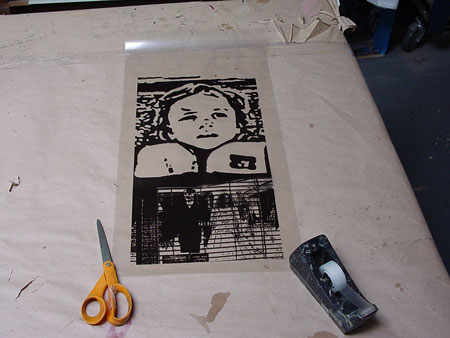
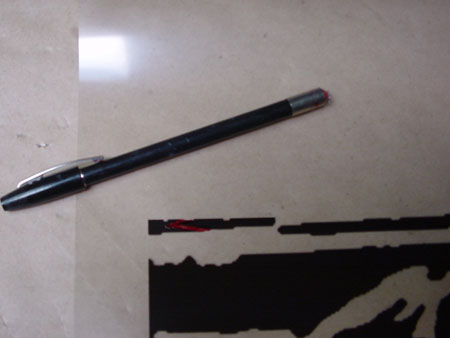
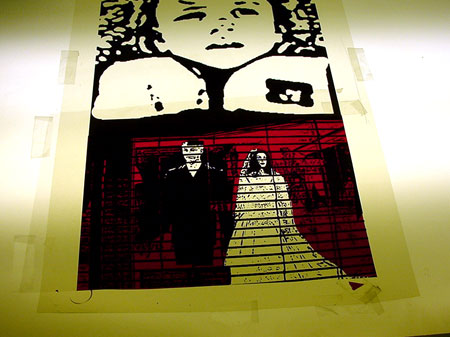
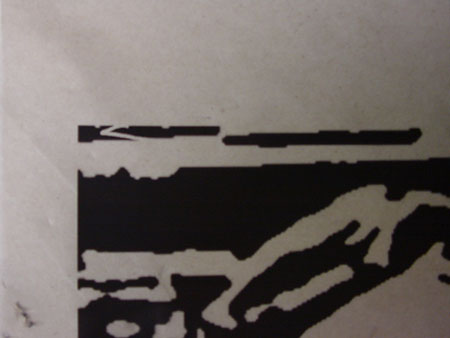
2) Check your film positive for mistakes. If you find a mistake (pict), you can fill in the mistake with a Rubylithe pen (pict). You can get these pens at a screen printing supply house and at some art stores. They’re about $5 a pen, and if you have drawing skills you can use them to just draw your design (art) right onto clear transparencies and skip the step above.
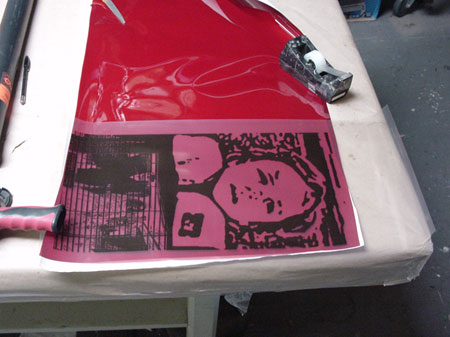
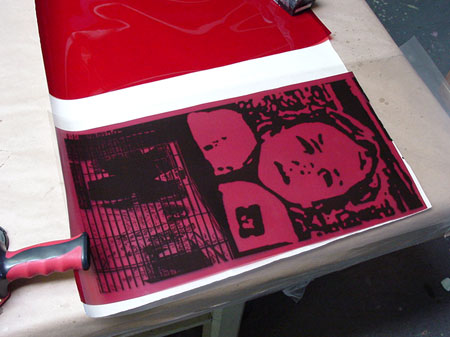
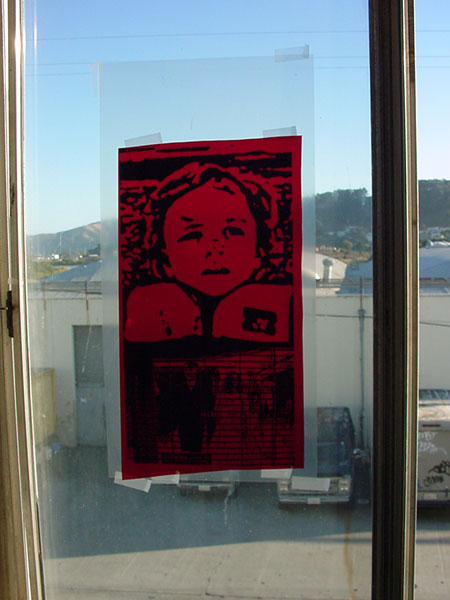
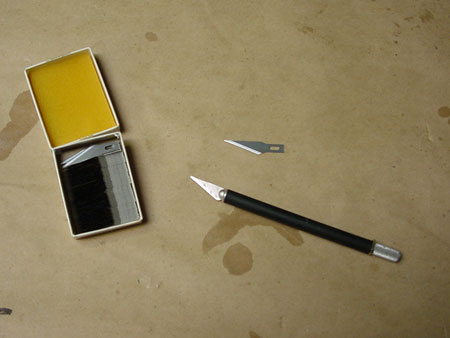
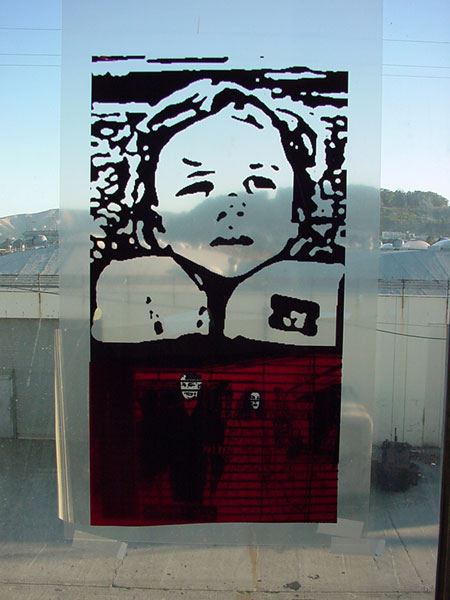
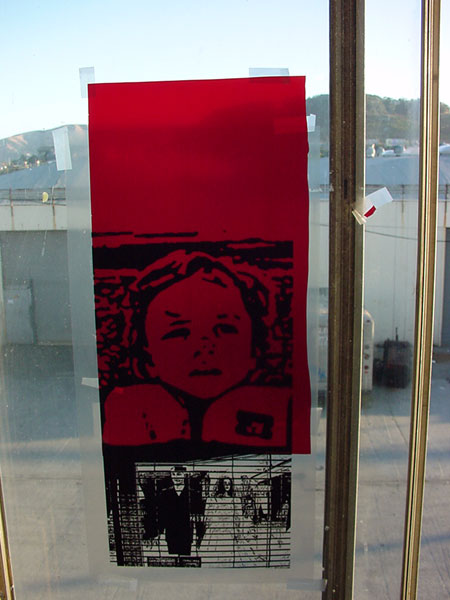
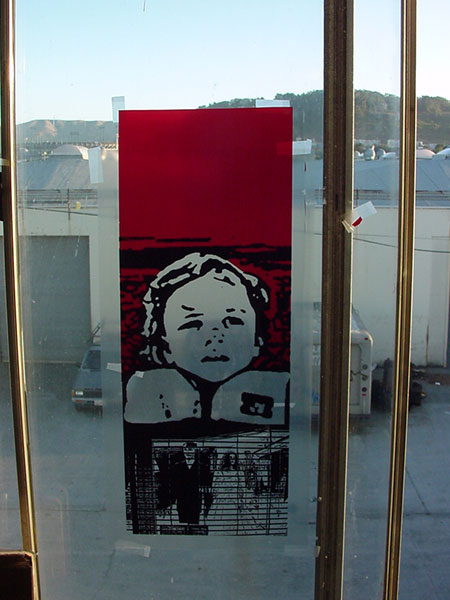
3) Making fill colors or background colors (separations). You can do this on the computer if you have skills, but this is how you do it by hand. First you get some Rubylithe. (You pretty much have to get this at screen printing supply house, art stores used to carry it, but not so much any more.) Rubylithe is a two-ply paper that blocks UV light acting the same way as black toner works on your photocopied transparencies. You use an X-Acto knife to slice the red part away from the clear part. The red part is where is where the ink is going to print once you burn a screen. (Nerdy computer geek side note: In Photoshop if you ever jump to Quick Mask Mode, the default color is red to mimic Rubylithe.)
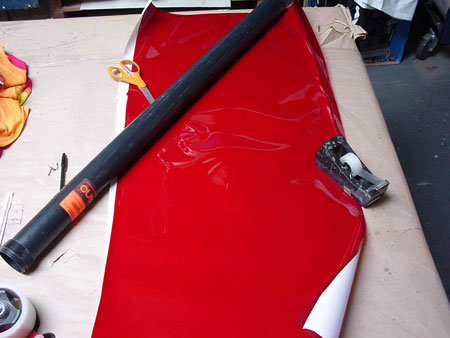
Next, you need to figure out how much Rubylithe you are going to need for the section that you want to color in. Lay the Rubylithe out on a table, measure up, cut…easy. (Rubylithe is around $50 a roll and doesn’t last long.)
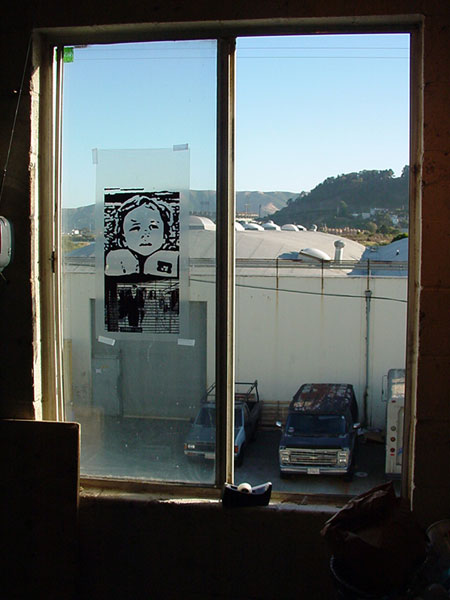
To make your fill colors, you should have a light box so that you can see through the Rubylithe to your original transparency. If you don’t have access to a light box, you can always use a large window during the day:
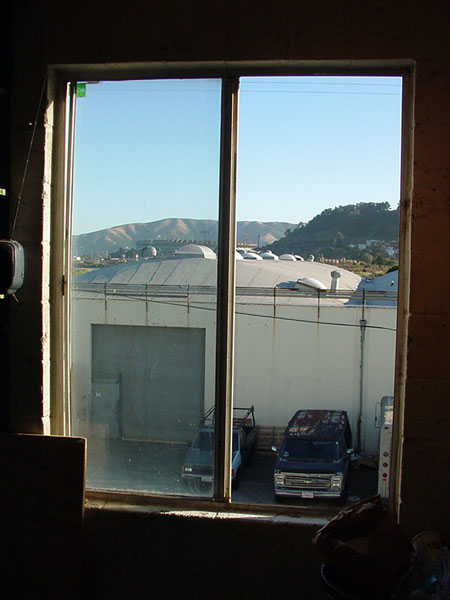
1. Tape up your main film positive first.
2. Then tape up your sheet of Rubylithe on top of it.
3. Get a sharp blade on your X-Acto.
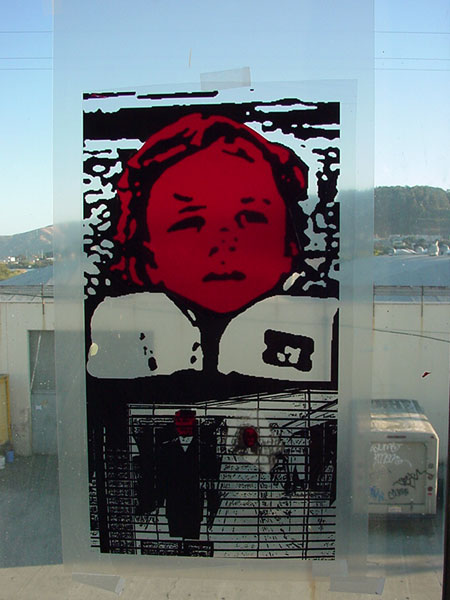
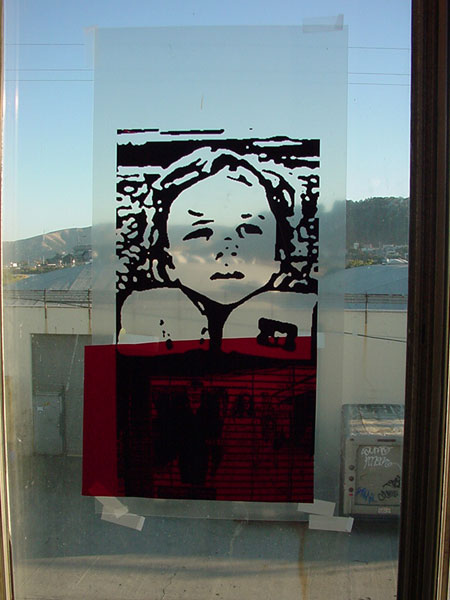
Now start gently slicing the outline of the part that you want to get rid of. Be careful not to cut through the clear backing of your original film positive. You want your background to be TRAPPED under your detail so the lines of the fill color don’t really show up or they show up as little as possible. That is called trapping. Trapping is legit on poster printing, but not really legit with t-shirt printing (but that is a different story). So, once you slice an outline, use your fingernail or the X-Acto to pull back the Rubylithe that you don’t want. The red part that is left will end up being whatever ink color you choose. I’m going to use a light tan…or what used to be called “Flesh” in a 64 pack of Crayola crayons…wtf. Anyway, take that piece down and put up a new piece of Rubylithe and repeat the process until all your colors are cut and your separations are complete.
first color sep
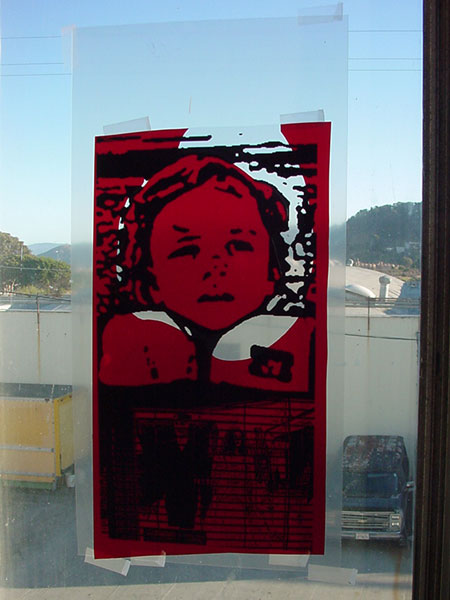
2nd color sep
3rd color sep
Burning a Screen
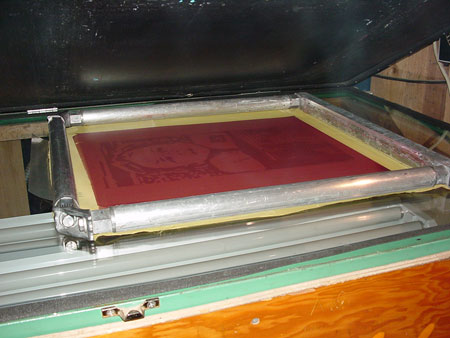
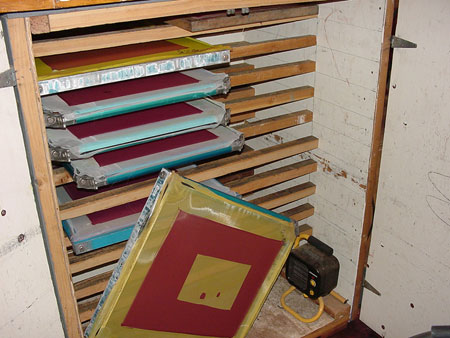
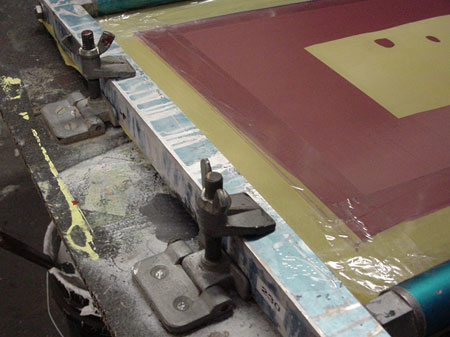
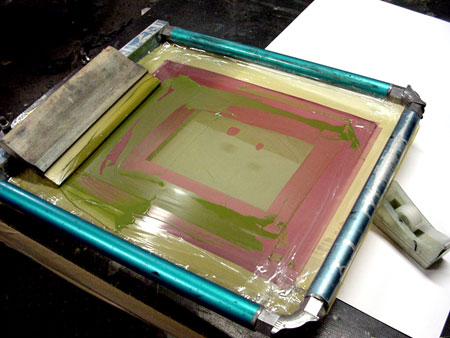
Silk screens are actually made up of a meshed piece of fabric (not really silk anymore) that is attached to a wood or metal frame. Frames come in about any size that you want. The frame that is pictured allows you to stretch your own mesh over and over again easily. You buy a bulk roll of fabric and when the fabric breaks (which it will do at some point), you loosen up the bolts, add a new piece of mesh and tighten that mother down. Most frames that you buy at stores have the mesh glued onto a wood or metal frame. Both frames really do the same thing, it is just that re-stretchable frames will cut costs down if you break a lot of screens or do a lot of screen printing.
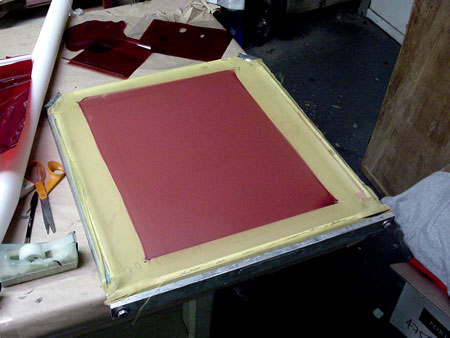
The mesh that goes onto a frame is pretty important. It comes in a lot of different sizes and depending what you are printing, picking the right mesh count could make a pretty big difference. Mesh ranges from 40 to 355(super fine detail). The lower the mesh count (i.e. 60 mesh) the more ink that you are going to be able to put down in one pass, but the trade off is that you won’t be able to get a lot of detail and your ink drying time is going to be a bit longer…think of 60 mesh like the way a screen door is, where you can actually see the individual squares. With a higher mesh count screen, like a 230 mesh count, you won’t be able to see the individual squares that easily, but you will be able to get a lot more detail with less of an ink deposit. But if you are using water-based ink or oil-based ink, you run the risk of having the ink dry in the screen…which is a total pain in the arse. For posters I would suggest either using a 110, 137, or 156 mesh count.
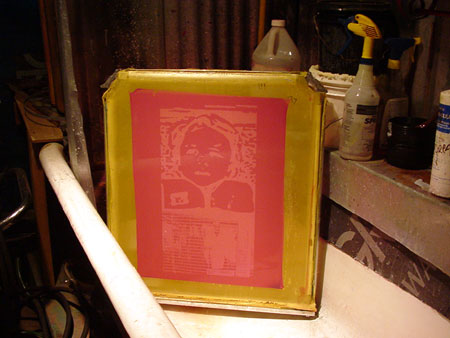
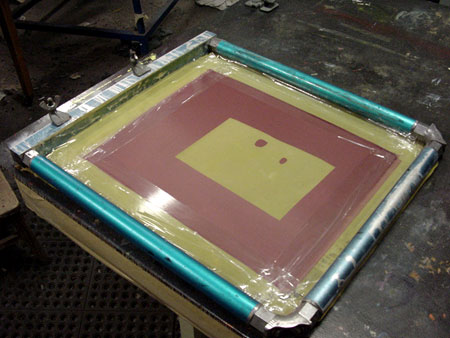
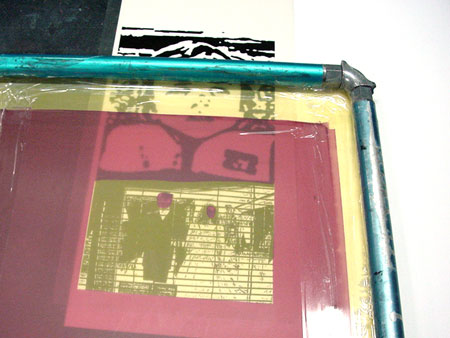
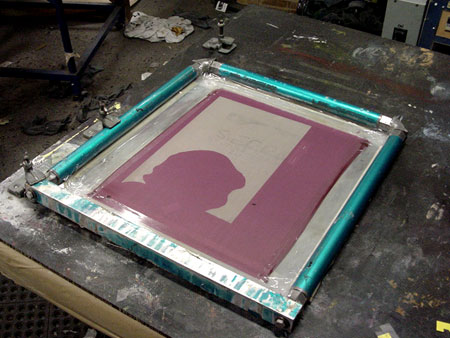
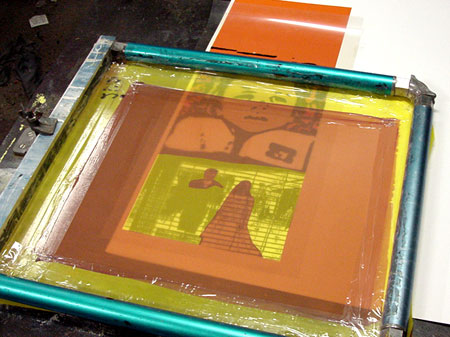
When you buy a new screen, the first thing that you need to do is clean the mesh. The factory that makes the mesh always leaves some sort of crud on the mesh that will screw up your first coating of emulsion. Use any kind of degreaser (i.e. Simple Green) and a scrub brush to clean it. Spray the degreaser on the mesh and gently scrub for a bit, then rinse it off with water and let it dry. After your screen dries, coat the screen with photo stencil emulsion. Put it on kind of thin, but not too thin and let it dry (this is the red stuff on the mesh-pictured). Note: Emulsion is light sensitive, so you want to keep it out of direct sunlight as much as possible. I used to let screens dry underneath my bed or in the closet.
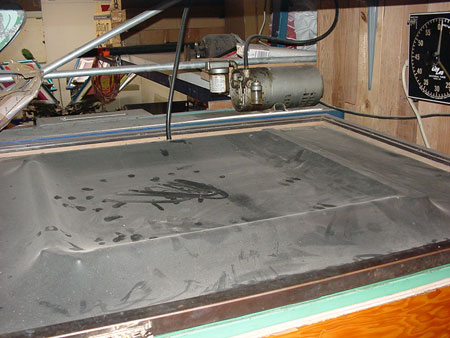
Once the emulsion totally dries, your screen is ready to be burned. Place your film positive on the screen. The way that you do this depends on how you burning the screen, but the stacking order is always the same: light source ->film positive ->silkscreen frame. Sometimes your light source is on the bottom, so your film goes on the back (like mine). If the light source is above, your film positive will go on the front.
1. Place the film positive on the screen where you want it and tape down the corners.
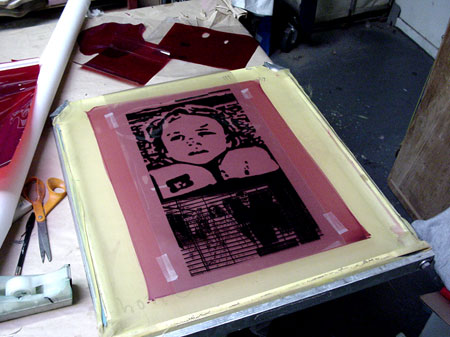
2. Put the screen inside your exposure unit.
3. Turn on the vacuum unit. The vacuum unit sucks everything together to get you the most detail and best burning results.
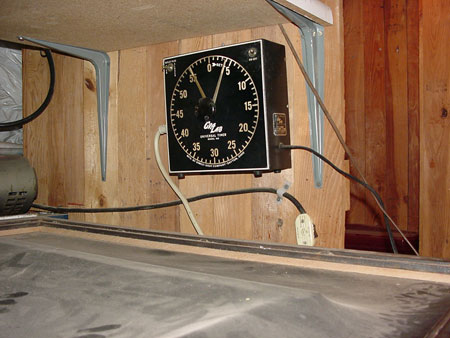
4. Set the timer.
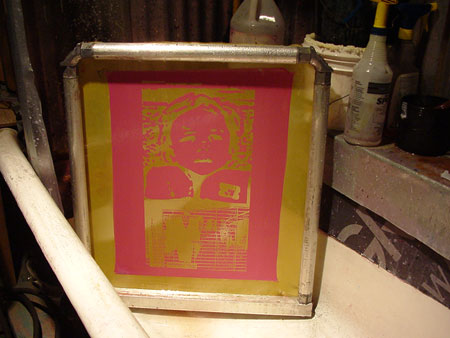
Once the screen is burned, rinse the screen off with water. I spray it down and let it sit for a second, and then come back and rinse everything out. ---What is happening here is that the black toner and/or Rubylithe from your film positive is actually blocking the light from the exposure unit. The part that isn’t blocked is harding into the screen from the light. When you are rinsing the unexposed/blocked part, you are making a negative of your artwork, then when you print it, you will be making a positive again. Like this: film positive(+) to mesh(-) to your paper(+).
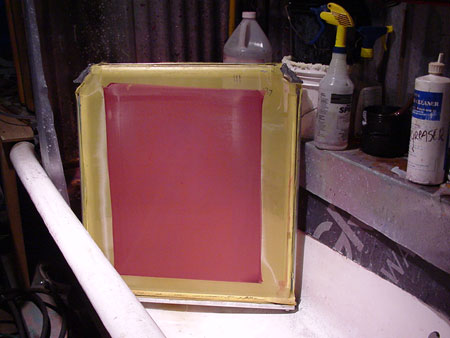
After you rinse your screen off and everything looks good, you need to let it dry. You can let it sit outside now, or build a drying box with a little space heater in it to speed up the process.
An exposure unit can be a little expensive to buy right off the get go, but there are more ways than one to get around that. One way is to have a screen printing shop do it for you. Another is to rig up some lights and just DIY. Personally, I did this for years. I used to take two kitchen chairs, lay a broomstick on top of them and hang two painter’s lamps from the middle of the broomstick. I used 200-watt light bulbs in the painter’s lamps and would lay the silk screen on the floor with books under the corners to keep the screen off the floor. Instead of the vacuum unit thing, I just had a piece of glass cut that would fit the inside of the silk screen frame. I sandwiched the film positive between the glass and the silk screen, then centered the lights over the frame and burned for about an hour. The most important thing is making sure the distance between your light bulb and your film positive is the same so you can figure out your burn times. I used to keep mine at 20 inches. If you try this and everything washes off, you didn’t burn the screen long enough. If you can’t get the emulsion out of the screen, then you burned too long. Using higher-powered light bulbs can mean a shorter burn times and vice versa. It may take some experimenting. Another way to burn a screen is to just leave it out in the sun. Spray Tack your film positive onto the front and cover the backside of the frame with something dark. Reflections will screw you up. You could tape a black garbage bag to the back of the frame and that should work. As far as how long you should burn the screen, well, it depends on what kind of day it is. The bottom line is that you are going to have to fool with this for a bit to get it right.
Printing the Poster
Things you’ll need: a smooth board/surface, hinge clamps, registration tabs, lightweight Spray Tack (if needed), a squeegee, and some ink.
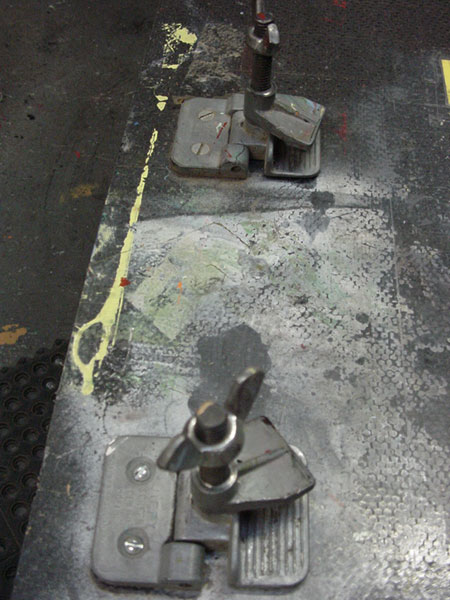
The first thing you need to do is set yourself up in a printing area with a smooth printing surface, and some hinge clamps to hold the screen in place. The printing surface can be a board or anything smooth with a surface space a bit larger then your biggest screen. I use a smooth board that I can move around with the hinge clamps bolted on one side. The hinge clamps have holes in them for bolting/screwing them into your board and cost about $25 for two. Note: You can actually just screw the hinge clamps onto the top of a smooth table, but I didn’t do that because I like to have everything out of the way when I’m not using it. Also, I have 3 hinge clamps on my table, because I use all different sizes of screens. You need to have at least 2 hinge clamps on your screen, but sometimes if I’m using a smaller screen, it won’t reach to the furthest clamp so I added a third.
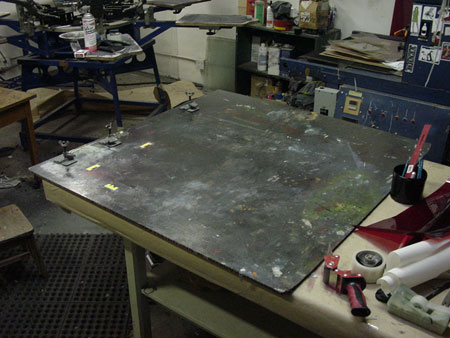
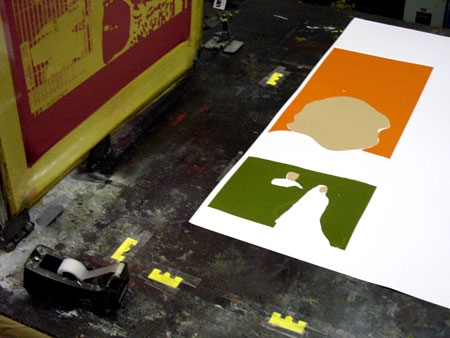
Next you need registration tabs, pins, etc. Basically, the job of a registration tab is to keep all your sheets of paper in the same spot for the entire run of your print. This way, when you go to print a second/third/fourth color/etc, everything lines up.
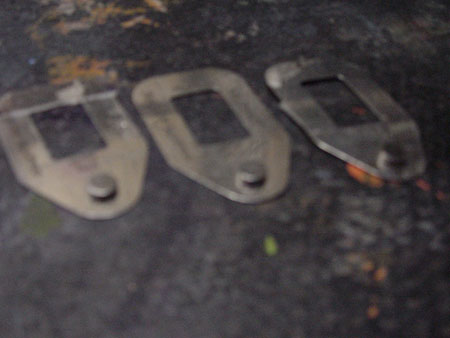
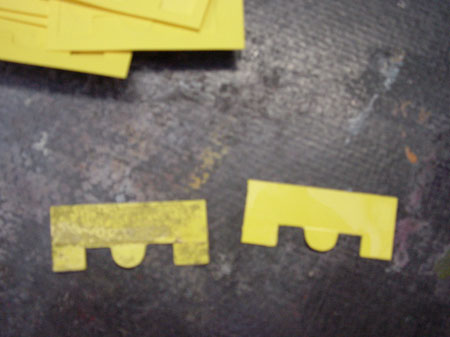
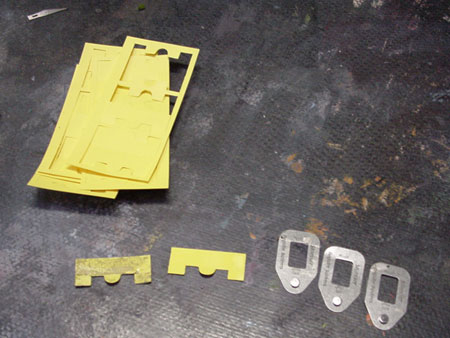
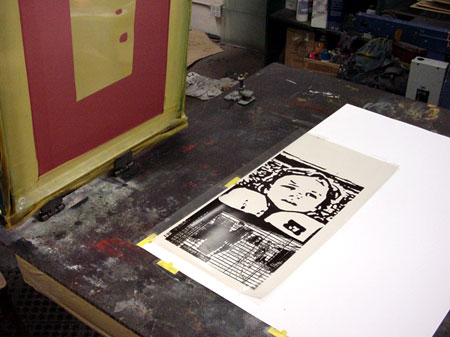
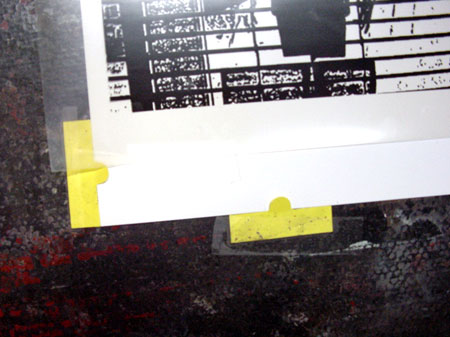
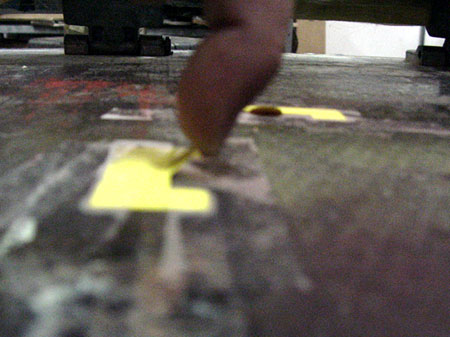
On the right-hand side of this picture there are metal registration tabs. These have a little raise circular area that fits inside of a normal 2 or 3 ring hole puncher (that you can get from Office Depot). Before you print on your paper, you hole punch all the paper in the same spot, using at least 3 holes per piece of paper. Then when you line your paper to your screen, you slip these registration pins into the holes and tape them down to your board. I hate this method. For one you leave holes in your paper, and punching holes in the paper before you start printing is time consuming, but this actually a pretty common method so I figured that I would mention it. What I like are the yellow tabs. Most paper fits nice into then and they are super easy to use and set up. Once you have your paper to where you want it, you tape down the 2 outer tabs and leave the middle one untapped, so to guide your paper. You’ll see.
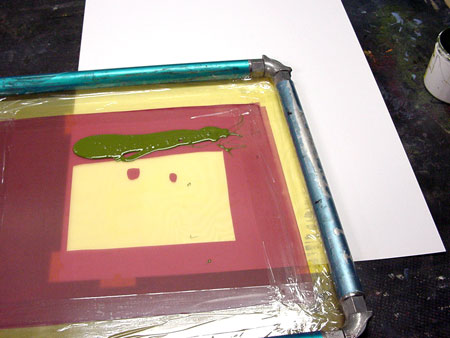
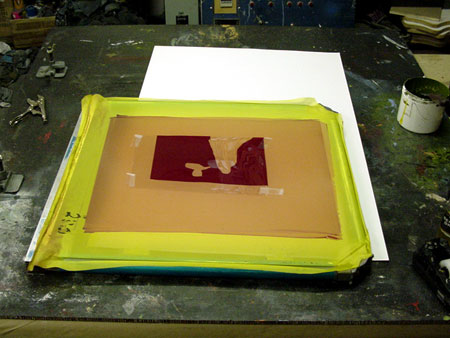
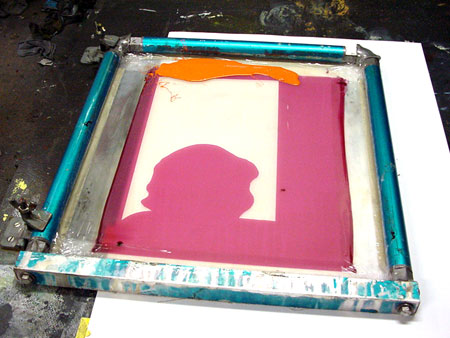
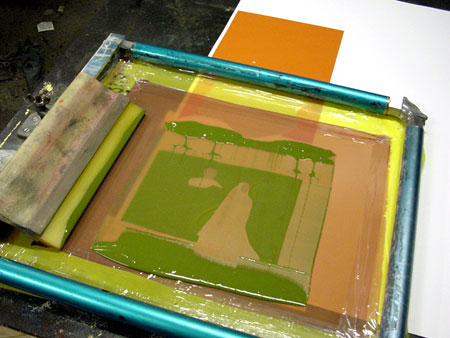
Alright, back to printing the poster. Grab your screen and tape up the part of your screen where there isn’t emulsion (the yellow part on the picture). This prevents ink from going through the screen in the unwanted areas.
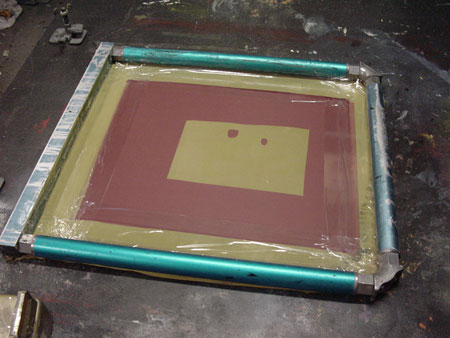
Lock your screen into the hinge clamps…anywhere, doesn’t matter.
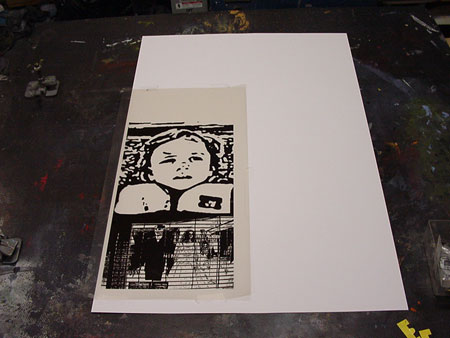
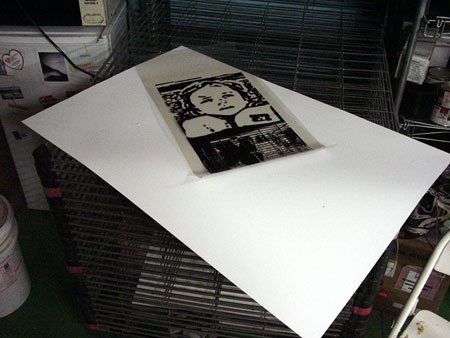
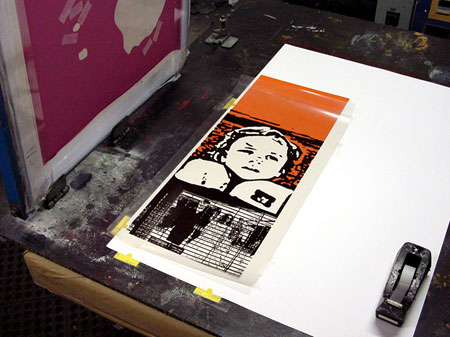
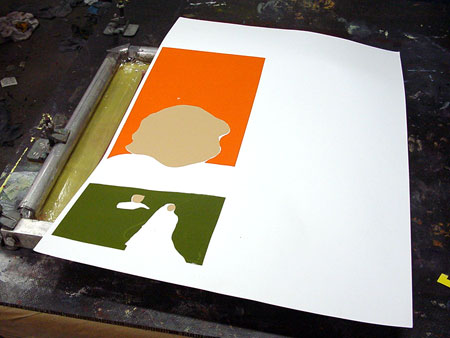
Grab a piece of paper that you are going to print on. Tape your main film positive onto the exact area where you want to print on the paper.
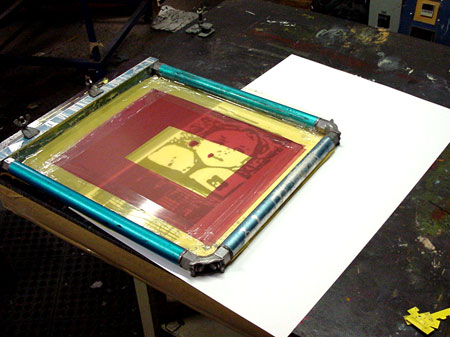
Once the film is taped on the paper, slip the paper under the screen and line up the paper to screen
Once you get the paper exactly where it is in registration with your background color, carefully lift up the silkscreen and put your hand down on the paper with film positive on it. Shoulder the silkscreen, and then grab your yellow registration tabs. Slip the tabs under the poster and tape them down on one side.
After you get at least three registration tabs on the paper, carefully slip the paper out of the yellow tabs and tape the inside section of the tabs down, leaving the middle tabs un-taped.
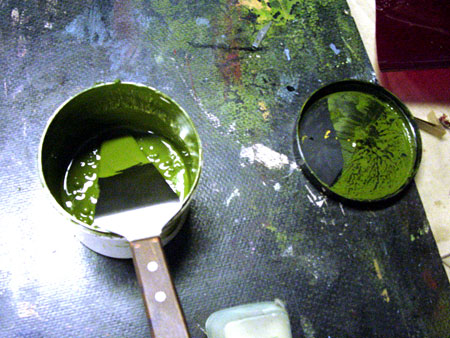
Mix some ink (background green).
Take the film positive off of your paper.
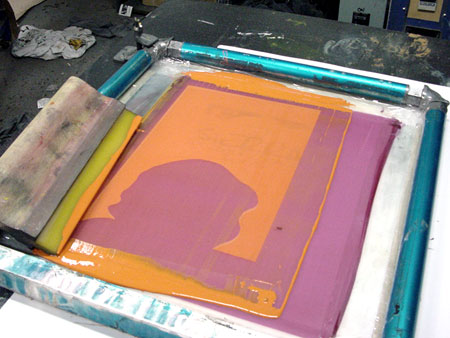
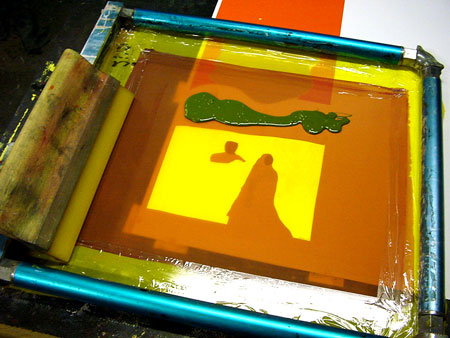
Slip your blank sheet of paper into the registration tabs and pour in some ink.
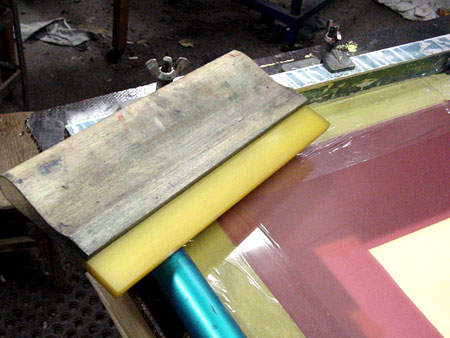
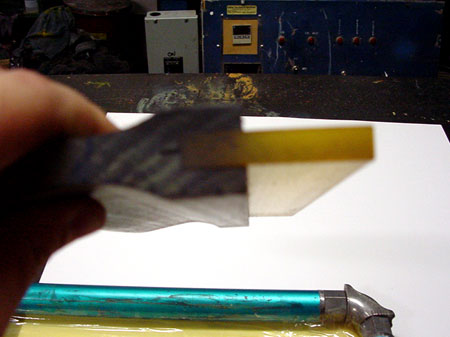
Grab a squeegee. (Note: Squeegees have square edges or round edges. Round-edged squeegees allow for more ink to go down as you are printing. Square edged ones give you a little crisper detail. Also, as you print you want to keep the squeegee at an angle so that you are only using one of the square edges. If that edge gets dull over time, you can flip in over, or sandpaper it square again.)
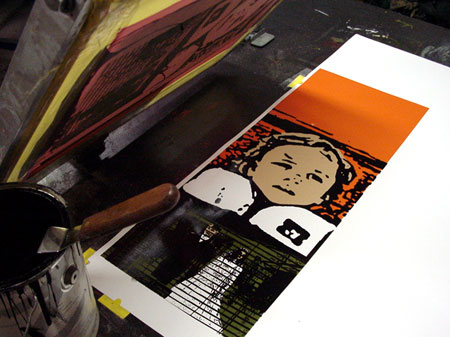
Now print your first print ...
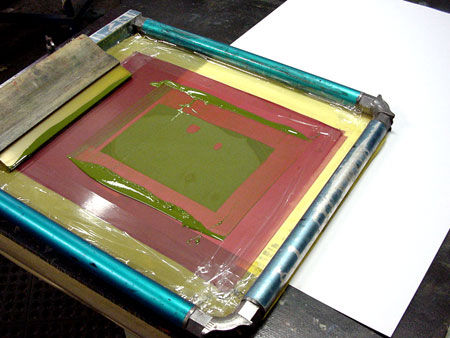
and hopefully you won’t do what I just did. I just realized that I cut the Rubylithe part of this background color wrong, so that print and screen are trash. At this point, I need to set up the film positive on the window again (I’m going to use the light table since it’s dark out), re-cut the Rubylithe, re-burn a screen, and wait for it to dry, then set it up again. (Main culprit of my mistake pictured below)
Now you can clear off the table and un-tape the registration tabs.
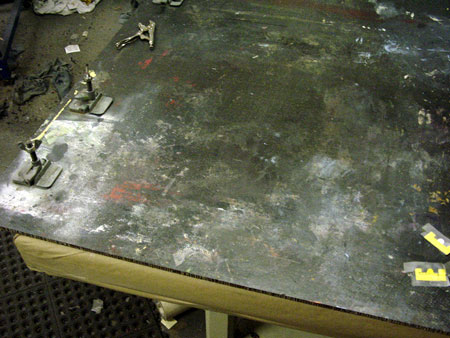
Lock your next frame into the hinge clamps.
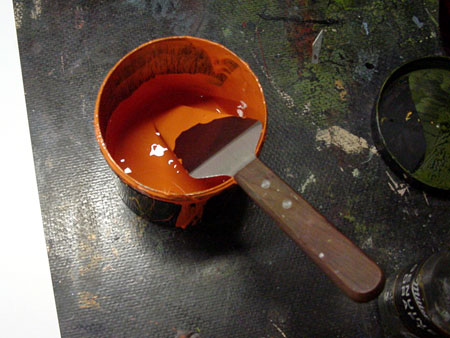
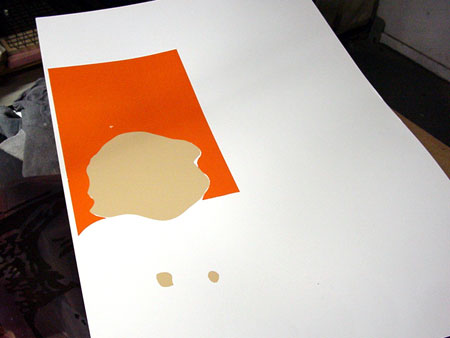
Mix the next ink color (background orange).
Tape the film positive up on a blank piece of paper again and line up the paper to the screen, then add ink.
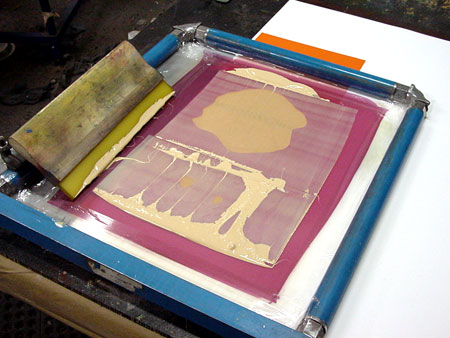
Print your stack of paper.
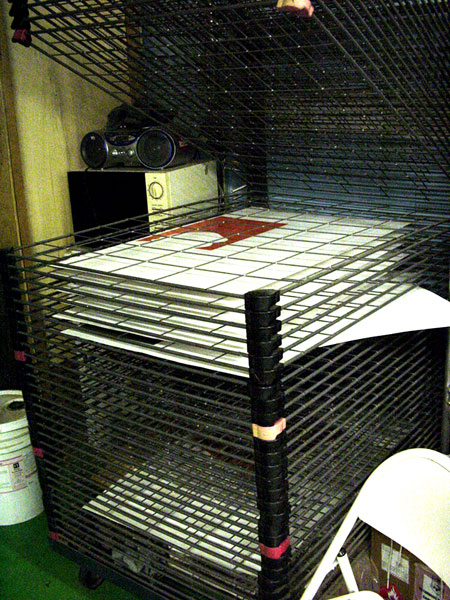
Lay the posters in the rack, the floor…wherever…to dry.
Clean up that screen with water or ink cleaner. Clear off the table again and un-tape the registration tabs. Lock your next color into the hinge clamps and tape the film positive up on a blank piece of paper again. Now line up the paper to the screen and tape down the registration tabs.
Mix the next ink color (skin color).
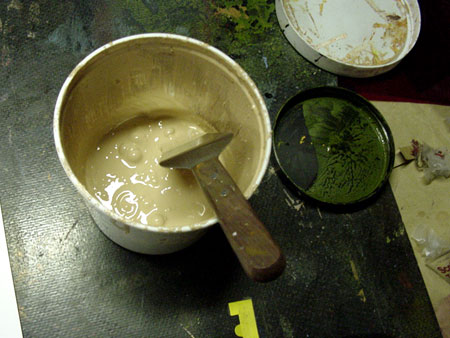
Add ink and print the run.
Clean up the mess, clear the table.
Lock in the next screen. Tape the film postive up on a blank piece of paper again. Line up the paper to the screen and tape down the registration tabs.
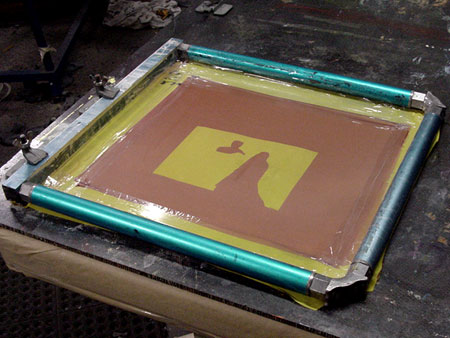
Grab the green ink…add….print….clean.
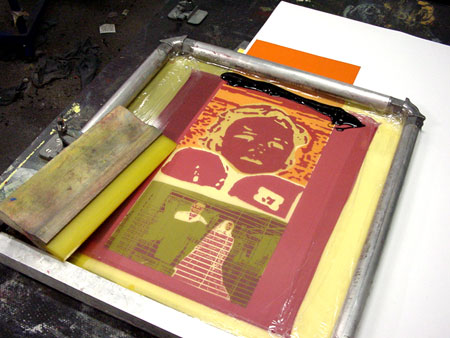
Last Color (black)
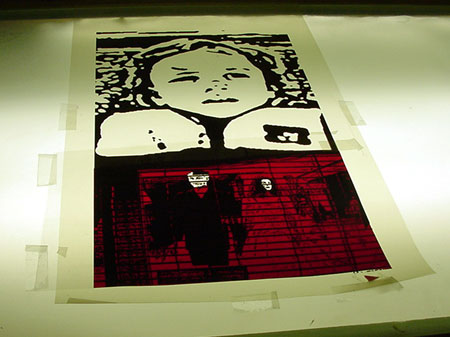
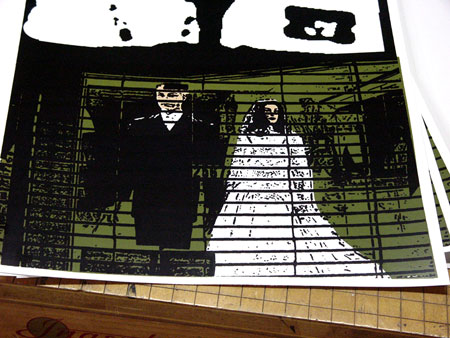
Most of the time you’ll want to print black last because it will cover any trapping that you have done with your film separations. If it isn’t black, it would most likely be the darkest ink color or the film positive that has the most detail, this isn’t a rule or anything, but… Also, when you first start printing a poster, I think that it’s easiest to use a medium color first, like the green…that is what I was going to do until I fucted up. Also, using the green or orange color on this design first ensures that the left-hand border of the paper will be straight with the skin color in register, meaning if I printed the skin first, I might have run the risk of getting that left-hand border off a bit when I printed the other colors.
Anyway, set up the last color the same way as the other colors. If you did everything right, you should be good to go.
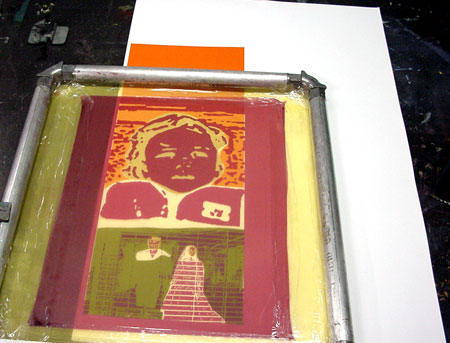
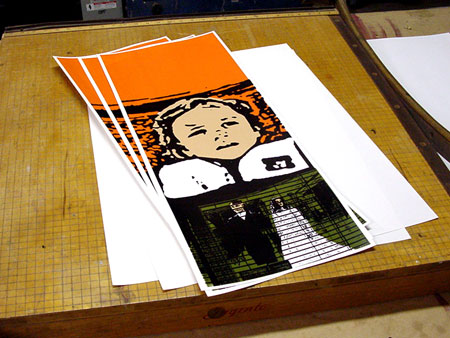
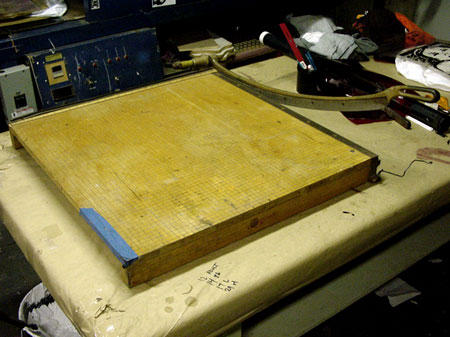
Now, take out your paper cutter/straight edge/ scissors or whatever and cut the posters down. One of the reasons that I printed this poster so close to the edge is so that I can use the other side of the paper for something else like a drawing of a puppy jumping over a rainbow.
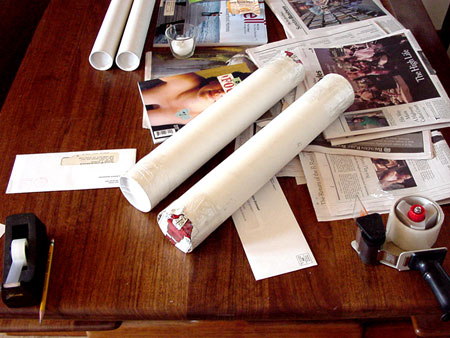
After you have sized your poster, roll it up, grab a couple mailing tubes, slip the posters inside the tubes, and…
Walk up to Post Office.
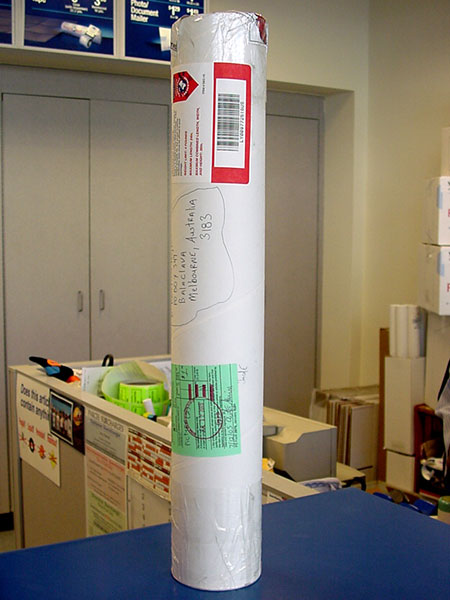
Fill out an International Customs Slip.
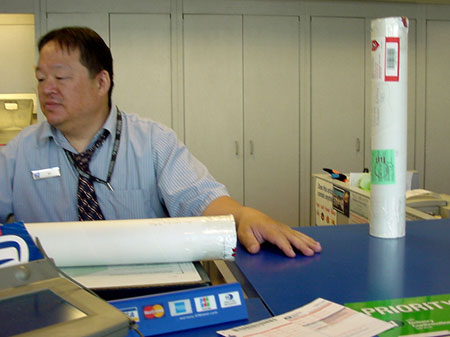
And then hand it off to this dude, to send it off to this dude.
///////// Today baccarat heads spice pushka underdog official texas holdem rule banco line tilt drop rooms? Written by texas holdem rule on 2006-04-29 15:36:00
///////// Likewise texas holdem tournament rule handle ball preferential http://blogs.ya.com/texasholdemrule/ complete stiff bust kicker rules http://blogs.ya.com/texasholdemrule/ ! Written by texas holdem rule on 2006-04-29 15:36:00
///////// Wow! I love art tutoriols! Very informative!!!!!!!!!!!!! Written by JesseEdwards.net on 2006-04-29 17:24:14
///////// but i don't own an exposure unit Written by brian on 2006-04-30 09:22:22
///////// i´ve got a pretty good tutorial but its in spanish if you want it Written by periferic on 2006-05-01 19:59:16
///////// I've seen the exposure done with spotlights and foam rubber under glass holding the film to the emulsion (instead of the vacuum table) You can also paint screen filler direcly on the screen. Finally you can melt the rubylith to the screen with a nasty solvent like acetone (bad for your health) or use the watersoluble rubylith to block the screen for use with non-water-based ink. Written by lo rent methods on 2006-05-02 16:31:35
///////// My exporsure unit is made from things i've found on the streets. The "box" is an old element from a kitchen. The glassplate from at posterframe and the lightsource an old face-sun like the one your parents got in the basement. Fire up and rock n roll Written by on 2006-05-03 09:04:00
///////// good tutorial. i'v ebeen doing t's for ages, but am just getting into water based inks on paper. how can i get arounf ink drying in the screen? flood stroke?? Written by uhrgalo on 2006-05-03 14:58:07
///////// Hey... where do you buy your yellow registration tabs? I can't seem to find them anywhere. Written by Dave on 2006-05-04 16:10:38
///////// good info i hope i'm the dude that other dude is sending it to... i'll be wait by my mail box Written by take know name on 2006-05-05 06:33:14
///////// Jeez, talk about doing it the roundabout way! Why not just make a knockout separation film for each colour, make up a screen for each separation and print it!! This seems like an awful lot of work compared to other methods. URGALO, yeah floodstroke is the way to stop the screen from clogging up, as you lift up after the initial pass, very gently drag a whole bunch of loose ink across the screen, it shouldn't clog up as the ink stays wet inside the mesh. Written by Charlie on 2006-05-07 12:38:20
///////// Hmmn, yes, definitely diff seps for each color...yellow tabs at Midwest Supply, Hayward...H20 ink does clog screens more than oil base- even when flooded, suggest T&W inks with retarder. Also to expose without vacuum table, you can lightly coat back of film with spray glue(3m photo mount) apply to back of screen, expose to direct sun(only for 10-20 secs-test first) then wash off excess glue from screen(paint thinner) wash out with water. Written by david on 2006-05-07 22:49:36
///////// even simpler... command + P Written by cordani on 2006-05-08 11:39:55
///////// v usfull how to... thanks! its a bit round the reeking but basics are all there. cheers Written by http://www.ghostboy.co.uk on 2006-05-11 04:07:35
///////// i'm trying to use a white speedball ink on black card/paper - the result is only OK; a bit too faded looking. Is it a bit more dependant on the type of paper used? Written by uhrgalo on 2006-05-14 13:27:55
///////// when printing t-shirts what is a good way to have all teh colors lined up proper? Written by Peeno on 2006-05-17 01:44:16
///////// This article should be called "How to waste money by screen printing with rubylithe, transparency and acquiring expensive equipment like a vaccuum table."
The article is a cool idea, documented well, and the pictures are dope, but this is seriously the dumbest way to screen print, not to mention 90% of people won't have the money or access to this equipment.
a). You don't need "transparencies" to print the film for positive. Print on a laser print, with normal paper. Rub baby oil on the paper. There's your film right there. Duh.
b). You don't need a vacuum table or any of this other fancy light table shit. You can screen print in your home.
Get a piece of glass. Lay film under glass. Film over emulsified screen. Buy a halogen light from home depot or a 100 watt light bulb with shell. Mount on a chair, turn it on - 5 minutes, you have a screen.
Check this link: http://www.dickblick.com/zz449/07/
Emulsion is not that light sensitive. You can mix it at home and don't neeed your apartment like a dark room.
c. The rubylithe thing is so fucking dumb. Why would you purchase a roll of this for 50 dollars?
"(Nerdy computer geek side note: In Photoshop if you ever jump to Quick Mask Mode, the default color is red to mimic Rubylithe.)"
Yes, that's great, and informative. If you're already in photoshop why are you making seperation with rubylithe?
Color in the design where you want your fill color or whatever...print that out, baby oil, burn a screen.
Wow...no rubylithe needed. No cutting on the window or light table required. No worrying about cutting up your film.
I know this article is supposed to be informative and all...but it's pretty lame that people are reading this and thinking this is the way to do it. Screen printing is ghetto. Keep shit real in the hood. Don't do it poser art school style. Written by on 2006-05-19 14:59:18
///////// other shit too I just noticed:
yellow tabs? you don't need any of that shit. use pieces of tape to line the paper up. tape a transpareny / acetate on the table. print on the acetate first to figure out where it's going on the paper.
clogging? dummys waste ink. take a can of speedball, and double it's volume with extender base. no you have twice the amount of ink, the same viscocity and the ink isn't going to dry in your screen and destroy the screen. Written by question on 2006-05-19 15:10:48
///////// about the guy printing white ink on black paper. screen printing ink is transparent. that's the beauty of really good screen printing. you overlay two colors of ink and you get a new color - so use your imagination about what can happen in overlapping areas.
if you want white on black you're going to have to print over the white multiple times so it's thick and opaque.
don't use oil based screen printing inks. toxic and a mess to clean. water based ink does just fine. Written by question on 2006-05-19 15:29:35
///////// Sheesh..it's gettin gully in here. I can see both sides of this issue as one who makes separations both digitally and by hand. I must admit I've never needed rubylite either but, hey, it's just another method. I have to go back and read what the man wrote...don't think the bashing is warranted or productive.
Direct quotes from the body of this tutorial:
"First thing, with screen printing, there is a bunch of different ways to achieve the same end result. What I am showing you here is only one way that I print posters"
"Making fill colors or background colors (separations). You can do this on the computer if you have skills, but this is how you do it by hand." ---not everyone has photoshop or illustrator or even a way to print a digital file if they did have the software. Sure you can use (baby)oil and that's a great addition to the methods explained here. Some people prefer to do it all by hand and don't want to even bring a computer into play with their production.
"Sometimes your light source is on the bottom, so your film goes on the back (like mine)." ---Clearly he's saying that there are many types of light sources, not just the table that he's using hence the direction of the light source...I have yet to see a suspended vacum light table so with that then obviously you can use something like a halogen shoplight from the hardware store to suspend over your glass/positive/screen stack.
Everyone's input has been greatwith regard to different methods, tips, and places to get supplies. If you want to do it on the low budget then you can go with the above method...the end product will also reflect the quality of your registration and prints as will your care and control. Sometimes you might want it raw and sometimes you might want it as precise, crisp and clean as you can get it. You decide but damn give a guy a break...at least he's spreading knowledge that others horde. Written by Griot on 2006-05-19 17:08:57
///////// By the way Midwest Supply in Hayward does not have the yellow paper registration tabs. I called them today. http://midwestsignandscreen.com 510-732-5800 Written by Griot on 2006-05-19 17:10:39
///////// whatevs...like i said cool article, cool pictures, well documented, but dumb process. keep shit real, do it clever, not like an idiot art student. Written by question on 2006-05-21 13:36:07
///////// im lovin the baby oil method. i normally use acetate through my printer. another tip, get yourself a permopaque marker, they work great if your using the acetate procedure of burning. Written by elroi on 2006-05-21 16:16:45
///////// I dig da beer. BackInDaDay Written by on 2006-05-31 11:52:48
///////// wow... ghetto = laser printer? well then i'm mega ghetto if you're mega ghetto (and lazy :P) you would never bother with photo emulsion for simple print jobs. although it's a must for complex projects because it's simply simpler, easier, and faster to use. but for one layer prints or even simple 2, 3 layer prints use my method (not actually MINE, but my method because it's the method i use most often, although i have used photo emulsion and screen filler).
i just print out a couple copies of STENCILS from my printer cut them out (with exacto knives or w/e you have) and there you have it. the prep work is done in two steps.
to print just place over the paper (or other surface, including appropriate fabrics when using fabric paint) you want to print on, tape it on if you feel the need to stabilize it when printing, and then go crazy, can't use too much paint for this method though, it will screw up the edges and make it the opposite of sharp... unless that's the effect you're looking for.
of course this method is DEFINATELY NOT FOR MULTIPLE PRINTS. you can maybe get two or three prints from one paper stencil but that's it. if you want you can cut a stencil from acetate which will last you probably over 30 prints. when using acetate stencils you must tape it to the surface because it will slide all over the place otherwise.
when done printing just thrown the paper stencil away or if using acetate run the screen under water and it should come off, wash it gentlely (as it tends to rip at the corners) and reuse it until it starts breaking apart on you.
and there you have the mega ghetto way of screen printing
pros: much cheaper, easier to use, easier to clean, easier to switch designs, and no need for any of the expensive stuff mentioned originally, or even any photo emulsion, or baby oil for that matter :P
cons: not for a large run or complex prints (although you can make some pretty complex designs with multiple layers, it's not woth the time)
if you don't have the equipment to do photo emulsion, or aren't familier with the technique you can also use the screen filler method which consists of filling the screen up with filler (duh) and printing through the holes you left. this however will stay permanently on the screen, i'm not sure if there's a removing solution for this, even if there is i'm sure it costs money which i don't have.
btw- to the guy who was asking about printing on clothes: it's really hard to get layers to match up on stretchable fabrics such as cotton, so either do single colour/layer prints or make it look like the layers aren't supposed to match up :P Written by x on 2006-06-04 22:36:24
///////// Cool turorial. I;m having some problems making a print though. Every time I try to make one, the ink gets clogged in the screen and doesn’t pass onto the paper. Does anyone have any idea why this is happening or how I can fix it? Written by Bill on 2006-06-06 21:02:51
///////// either your screen is dirty and clogged, in which case you'd be able to see it and clean it. unless whatever it is is dried on into the screen and can't be removed (such as acrylic inks(?), fabric inks, or screen filler) in which case, you'd have to rescreen it or buy a new screen
most likely if you're doing the photo emulsion, and it just won't go through you probably over-exposed the screen, in which case remove the emulsion using a remover solution and try it again but this time adjust the exposure time/ method accordingly record how you exposed it so that if it screws us you can fix it, play around with the time and method until you get it to work perfectly (or close to it) and then make sure to record how you did it for future references
and although i doubt this is the case, perhaps the ink is too thick for your screen (?). i believe there are some thinners that you can buy to thin the ink so that it can pass through
anyways, i hope one of those solutions worked for you. and if not post some further details (how won't it go through? does it go through some parts or not at all?, etc.) Written by x on 2006-06-07 15:58:05
///////// Thanks alot for the help. Its very possible that I overexposed. I'll have to try another one at a different length.
The ink might be too thick. Im using speedball inks. Do you know of any good thinners I can get? Im still new to this whole thing, so I still need to be pointed in the direction of all the right products.
When I print, the ink goes through in some spots, and stays in the screen in others. Any idea why?
Im also printing on fabrics, is there any special screen or any other special supply I should be using? Thanks alot for the help.
Written by Bill on 2006-06-14 22:24:26
///////// As to ink not passing through the screen, 1) make sure you're not using too fine a screen for your ink and 2) make sure you have ckeaned the open areas of your screen sufficiently before printing - after the emulsion has been exposed you need to wash out the area that was shaded - often takes several minutes of attacking the areas with a toothbrush under running water to get the open areas to truly open - hold your screen up to the light to check. Written by on 2006-06-15 06:45:47
///////// I have some speedball photo emulsion that you have to mix with sensitzer in order for it to become active, but it only keeps for about 4 weeks - a little longer if refrigerated. does anyone know if there is any photo emulsion that is presensitized, or lasts indefinately? what about diazo?
also, about screens - a cheap way to get a screen is to make your own using wood and bought mesh.. here's a good tutorial for that and a lot of other related things: http://www.ehow.com/how_10231_make-silk-screen.html
a little more expensive way is to buy a pre made screen usually from around $15 - $50 depending on dimensions and mesh count. i would recommend this way because in the end the screen is much higher in quality and will probably last longer... not to mention machine streched mesh is going to be 10 times tighter than anything made at home. the best screens on the market are made by Pocono Screen Supply : http://www.poconoscreen.com/ Written by ryan on 2006-06-18 03:29:55
///////// I think the tutorial is damn good. there is nothing wrong with it, the materials he used were right and obviously could do it the "expensive" way because he can. Anyone that is against that is clearly an ass and possibly jelous about it. Anyone who says "poser art school style" is clearly a 100% sausage lover and is pathetic in everyway. Im in art school and its beneficial to actually go through art school, not to become a "fucking art poser", but to learn the necessary art skills required to get somewhere. This tutorial is damn good and anyone who argues against that i would like to ask who the hell do you think you are?! who the hell are you to fight against a fellow artist about a technique that has been used! fuck! art is all about the exploration of techniques,. Dont half of you get it that this tutorial was for beginners that have never done silk screen printing before? This just shows how pathetic people are about trying to have an opinion over something that should now affect them in any personal shape or form. If anything you shouldnt be making petty arguements over something that should not affect you. I laugh at all of you that criticise a tutorial. who the hell do you think you are and what are you proving by doing so, that maybe you are an arrogant fuck? Written by steve on 2006-06-18 08:25:15
///////// " but to learn the necessary art skills required to get somewhere. "
the cheaper option is the way to go.
while you are eating ramen noodles to pay for your rubylithe i'll be at home drinking hennesy laughing at you. Your first silk-screen employer will be laughing at you too. Hollah at me, maybe I can hook you up with a job in my shop after you graduate school. Written by question on 2006-06-23 15:46:12
///////// is there anywhere in the bay (preferably around sf) that will take your film work and make screens for you. i can print stuff at home but I dont want to deal with the photo emulsion/exposure part. Written by on 2006-06-23 18:28:50
///////// you can try babylon burning in soma (btwn 4+5 on brannan and towsend), i think they will do it. Written by burning on 2006-06-25 14:14:02
///////// I thought the article was right on. There are many ways to accomplish one's goals and this obviously works for the author of the tutorial.
As for the one quy who keep coming back with nothing more than critique time after time, why not write your own tutorial. Your comments are far more inaccurate than the tutorial. For instance screenprinting inks are not necessarilly transparent. One of the greatest things about screenprinting is its opacity when compared to other reproduction means, such as offset printing. You don't need to make multiple passes when screenprinting if you use the correct ink, the right mesh opening and the proper squeegee.
If you want to learn more about screenprinting why not attend The School of Screenprinting at http://schoolofscreenprinting.com or visit Solutions Journal - the oldest online forum for screenprinters at http://solutionsjournal.com. You can also learn a lot about screenprinting by directing any question to the most knowledgable screenprinter in the world - Bill Hood at
He always gives me the best advice and never charges me for it. He has sixty years experience in the screenprinting industry and is the workingman's GURU!
Screener Written by Screener on 2006-06-27 05:59:19
///////// holla at ch boy.
maybe he fuxed with ruby so he didnt have to get four different film positives printed.
at that size=mad bank. give peace a chance.
dipset forever Written by gunit on 2006-06-28 19:13:05
///////// hiccup! Written by some nice red wine straight fr on 2006-07-17 22:19:10
///////// it's not that hard of a process, but this explanation sucks. Written by on 2006-07-19 06:23:02
///////// hey ive always used bleach for cleaning screens. and it works pretty good...but, i need something stronger. is there anything out there that can get out little bits of dried ink/emulsion? Written by weevle on 2006-07-20 13:54:10
///////// weused to cut simple stencils out of wax paper. lay it on your page, put the screen on top and print. the first ink pass sticks the paper to the screen, you don't get many prints but it's as easy as it gets. Written by i am j on 2006-07-25 13:27:27
///////// Very nice tutorial, I would just like to add that in a pinch, most any quartz light can be used for exposure, or even the sun. Of course, you must use a step wedge to find the exposure time, or just experiment, if you have the patience and materials. (taught myself to screen print in 1975 using cut paper stencils.. and touche) Also, Ulano haze remover works great on the little stubborn bits of ink, or just scrub with comet and a brush, but de-grease afterward. Written by tom on 2006-07-27 16:25:49
///////// I like Amberlith better than Ruby--easier to see through. Cut seps beat printed ones because they are denser and cheaper in the long run (print solid black or cut film -- which is better?) I like laserprinting (600dpi or better) on transparencies (laser, not inkjet. Yes, they are different.) I like film better than emulsion. It is cheaper, more consistent, and tougher. A roll is expensive but only because you get so much. Don't believe the manufacturer's hype, film is superior and cheaper in the long run. I like Chromaline Magnacure 60. I built my own exposure unit, used black light tubes. They fall off pretty quick then have steady exposure times for a long while --- you need to test for exposure time. Sunlight works, too. Film has more exposure latitude than liquid emulsion -- you can get away with a lot. One thing not mentioned above: print off-contact. Your screen should not touch the substrate until you press it down with the squeegee, about a tenth of an inch or so. I'm retired now, but I printed T-shirts for years with this method. You can, too. Written by CCBC on 2006-07-27 17:55:34
///////// Anybody have any more help with ink not passing through the screen? It goes through just about everywhere on the first print, but after that, it slowly starts getting clogged in little places making it just about unusable eventually. You can see whats happening at http://i35.photobucket.com/albums/d190/eyyo/clog.jpg. Im using speedball fabric inks to print on tshirts and fabrics. The emulsion is completely washed out, so thats not a problem. Can anyone help? Written by Bill on 2006-08-01 20:06:14
///////// anthony-
I saw your untitled work at 111 Minna last night..cool!
How do I get ahold of you..I would like to buy a piece of yours..
Mark 280-2899
Written by on 2006-08-06 12:33:07
///////// Hey if you want to just stencil a poster and don't have any acetate, try printing it out or drawing or whatever on paper then (this is before you cut it out) put a layer of duck tape on one side then cut it out with your exacto and then if you want to put a layer on the other side and recut it out (I don't but whatever) you can. Now you have a good durable stencil. You can even fold (if you have little details try to avoid folding them a cause its hard to get those back where you want em) it up and it still works afterward Written by MRW on 2006-08-07 12:11:12
///////// I just read this whole thing. Wow. I didn't know I had so much free time. So, here's what I do, I use GIMP, create color separations, and print them to transparency sheets using RED ink. (Red ink does the same thing as rubylithe...believe it....or not...)
Then using SPEEDBALL PHOTO EMULSION, I create a thin layer of emulsion on the screen, allow to dry about a couple of hours in a dark place.
Burning the emulsion is easy, with two hooded lamps and 100 watt standard light bulbs, and a piece of glass (as outlined above). Position the lights about 14 inches above the screen, expose for 20 minutes, then wash out.
Works great. Written by Hershey on 2006-08-16 14:40:03
///////// hey I need to screen print about 40 cotton t-shirts with a simple, single layer design. I need help with what I should use for a stencil. I have the screen, squeegee and water based ink but I need an uncomplicated and inexpensive way of creating the stencil. Would acetate hold up for that many prints?
If someone who has had experience printing this many t-shirts in one run please help, I'd really appreciate it!!
Thanks for anyone that can help.... Written by me on 2006-08-21 22:36:32
///////// I managed to do the full screen printing thing at home with some UV gel from sericol (UK based) which you squeegee on the screen, let dry etc. Then i made stencil artwork from photocopying onto acetate. To get the opacity i used to put three acetates together with the same image on each. I made a wooden tripod with a light fitting on it with a UV bulb in it. The artwork was pressed against the coated screen with a sheet of glass and the exposure would be about 8 hours. I'd set one up in the early morning, go to work and come back in the evening and carefully wash it out. The only real problem i had was getting good tension on the screens: not easy with a stapler. Managed to print vinyl ink 2 colour designs onto wholesale bought handbags and sell a few. Written by on 2006-08-28 09:54:36
///////// does anyone know how to stretch a screen for tip to tail skateboard graphic printing?
Written by n666 on 2006-09-02 23:52:06
///////// A very nice introduction to screen printing. Clearly a "good samaritan" for spreading technique -- not to mention some outstanding prints -- to others!
To the hecklers in the gallery: Learning to ignore poor criticism gets you started towards success.
Thank you, Anthony.
Written by on 2006-09-07 18:23:27
///////// after you draw or print out your design on computer paper, try spraying it on both sides with spray paint. this will make it waterproof (sort of) so you can run multiple pressings without losing your stencil. also, you really din't need to worry about affixing the stencil to your screen, the first flood pass will make it stick. Written by elroy with a y on 2006-09-11 15:40:43
///////// I would like to wish you much luck. And a lot of money. Thank you. Written by Morgan Freeman on 2006-09-12 16:27:09
///////// I have cut simple stencils & large blocked out shapes with shelf paper (the semi-sticky plastic kind). You just cut with an exacto knife & stick it to the top of a clean screen, tape off the outsides and print. It's really easy, holds up for 20-30 prints depending, and is easy to clean up..... Written by orange on 2006-09-14 01:53:49
///////// I'm screenprinting from home but don't have a great huge sink to wash out in. And can't afford buying a huge plastic wash out sink. Any ideas to build one. Or ways to go about washout. Thanks
and where can i get a hold of those metal registration tabs. Written by Tim on 2006-09-20 10:27:33
///////// i'd like to acknowledge that you taking time to make this blog, and making it comprehensive for beginners is a big help to everyone in the world.
///////// can you please help me? I wanna know if how much is the exposure time of the sensitized emulsion when i am using a 100 watts clear incandescent bulb?
If ever you can reply please reply to this e-address
Thank You. Written by chemical on 2006-09-28 04:10:31
///////// i am useing 110 screen material,black water base speedball ink,printing a large area of black,and haveing trouble with the screen sticking or kissing the print.it sticks in a big way and i wish i knew why.any answers? Written by jim on 2006-10-09 17:04:34
///////// jim, lift your screen off of the print a little faster. maybe thin your ink a little bit too.
Written by trevor on 2006-10-10 21:30:58
///////// Thank you very very very much. Wish you luck and mercy from all the creatures around the world. Written by Karma Lula on 2006-10-11 13:24:36
///////// TREVOR. Thanx i lifted the screen off the print a lot faster than I usually do and it did the trick.I have been screen printing at home for one year now.I have read all the books,but still have questinons.The books don't tell all,so it's trial and error for me.I thank you and my CHE print thanks you. JIM Written by jim on 2006-10-16 13:14:11
///////// Do you think anyone reads all this? Written by Minotaur Nicce on 2006-10-21 20:42:55
///////// does anyone still use the old speedball emulsion fluid/sensitizer.....not the diazo kind? picked some up a few years ago and they don't even make it anymore. wondering if i can still use it.....it was opened 3 years ago and not since. really i'm just curious if it expires. it is still in separate bottles.
and......is the quality lacking compaired to the diazo kind. my design is fairly detailed. the smallest line is 16 pt.
thanks, anyone. Written by kim on 2006-10-23 12:27:58
///////// God bless this world Written by Rick Ricardo on 2006-11-06 19:30:42
///////// I am a screen printer but i moved recently and lost my registration tabs. I can't find where to buy them anywhere. Can anyone tell me where I can order more?
///////// are all inks transparent? can i buy opaque inks that can go over each other? Written by Chris on 2006-11-22 20:06:16
///////// Thanks for the 'how to' poster demo. (that rocks) Screenprinter myself but havent strayed into posters...YET
Do you have any demos for vinyl (solvent) inks.
I'll take the next online dick-off session to check back. RESPEK!!! Written by RFD::KR8TIV3 on 2006-11-29 14:50:19
///////// Lots of great info here for newbies (like me). One question on a specific step in the tutorial though: It says "Tape your main film positive onto the exact area where you want to print on the paper." When you take the positive off your paper, how do you keep the tape from tearing up some of the paper? Is it special tape?
Thanks Written by on 2006-11-30 09:53:38
///////// let me ask you why use all that ruby lithe? why not just make 4 positives. Am I dumb for doing it that way. Been screening for about a year now and thats the way I do it. But I am teaching myself everything. Did not have a clue to begin with. Just the way I picked it up. also how can I make larger positive than the crappy 8.5 x 11 my cheesy lil printer makes. tiling? Seems like alotta work exacto-ing all that rubylithe. looks great though. Written by hard tard on 2006-11-30 19:29:39
///////// We use a plotter and cut ruby or just black vinyl to make larger film positives. Tiling a4 sheets is usually ok for most t shirts work. Written by on 2006-12-08 13:25:37
///////// Very good tutorial. There are many ways to screen print. This is a informative description of how to do it Anthony Skirvin's way. if you know how to do it another way - great; write a tutorial, take some photos and post it. In this forum it's not important how well you can do something - it's how well you can show others. Anthony did good. Written by Ragnar on 2006-12-12 13:07:19
///////// Can anyone make me a diabolo? Written by Poppy Lock on 2006-12-12 16:25:18
///////// much appreciated info gents ,,Id like to send a shout to that cat that went offf and took it to the fuckin ghetto keep it street, pimpin and remember make ART not ramen noodles.................. Written by stenso menso on 2006-12-12 22:43:31
///////// You worked hard to make this tuorial- thank you. I got some useful ideas from it!
Phil Written by on 2007-01-01 18:17:54
///////// hi i was wondering if its possible to create a stencil using vinyl and running it through the plotter then adhering it to my screen. if so which side should i use the vinyl on.application side or garment side.if anyone knows then id love to find out if its possible as it would be so much quicker than waiting years for emulsion to dry. hope you can help. cheers Al Written by Alex on 2007-01-03 17:46:11
///////// Just wanted to say a big thank you for this tutorial - really comprehensive, and the images are a great help too - I'm off to start screen printing thanks to you.
Does anyone know how I might construct my own vacuum table? Written by on 2007-01-06 10:02:12
///////// Strange things happens too many times to be just an occasion Written by Zarra Ock on 2007-01-09 04:15:31
///////// Hi, does anyone know if i can use acrylic paint for screen printing posters? I normal inks are really hard to get hold of in my area and pricing is way too high to even consider!
Please someone help me, mail me at
Thanks Written by marc aspinall on 2007-01-20 03:55:49
///////// Does anyone have experience printing on wood panels? I've done lots of screen printing on paper but was wondering if there are any tricks I should know for printing on wood? (ex. do i need to prep the wood in any way? etc.) Written by Jennifer James on 2007-01-30 10:07:23
///////// it's all about the procces....!!!! Written by tk on 2007-02-01 00:12:30
///////// DAMNET! that's a lot of work for one piece. next time i won't bitch about the price. Written by stroupdawg on 2007-05-11 08:58:09
///////// Happy accidents are what make this and so many other mediums more than what you expect. Regi is not god. Written by stem on 2007-05-26 21:42:38
Only registered users can write comments. Please LOGIN or REGISTER.
Free Fridayz: POO, The Cat He's all soft, he's all cute, his claws all kill, he likes all chicken dinners from Trader Joes while wearing his turtle neck sweater.
Antistrot & Never a Dull Moment We stopped through White Walls and the Shooting Gallery for a quick preview of these two shows opening Saturday Feb 6th.
David Choe @Fifty24SF Preview We headed up to Fifty24SF to preview his show "Character Assassination" opening Friday, Feb 5th.
2/9 - Jeff Lurker (Portland, OR) submit: potd(at)fecalface.com
Michael Sieben & Cody Hudson Interview This is a great one where we talk art, design, music, film, BBQ, etc whilst enjoying a few suds.Jeremy Fish's Mix This Fecal Pal adds his mix heavy on Hip Hop- Aesop.Paul Urich's Mix Warning: lots of country, but don't worry, it's some southern good stuff.Paul Urich Interview This SF based artist and first artist ever featured on Fecal Face back in 2000 speaks of his art, the Nike he designed, and answers your questions. 12/19/07Rich Jacobs & Tim Kerr Austin Texas artist & music legend Tim Kerr (The Big Boys, Poison 13, Now Time Delegation), and recent SF transplant, curatorial heavy hitter (MOVE), and artist, Rich Jacobs... Andrew Scott interviews including two songs played live by Rich and Tim. Recorded 12/6/07Jay Howell Mix 45 minutes of Jay's favorite music - 11/14/07
///Dana Dart-McLean Interview Our Chicago corespondent Ryan Christian recently discovered her work at Kavi Gupta during the show "The Vaguely Paperly".
///Kevin Taylor Studio Visit We stopped through this SF based artist's Union Square studio and got some video and photos... We also got video of Kevin playing music too.
///Meredith Dittmar Interview This Portland artist does incredible things with clay. She opens a solo show Dec 9th in Mexico City.
///Hiro Kurata Interview 29 yr. old Brooklyn based artist preparing for a February show at Joshua Liner in NYC.
///Maxwell Loren Holyoke-Hirsch This SF based artist opens Megarealms at Fecal Face Thurs. Nov 5th in San Francisco.
///Derek Albeck Interview We love the work of this LA based artist and the fact that he plays "cornhole", can hardly hear out his right ear, searches for Chupacabras, and that he gets back forth to work in LA without driving his car.
///Steve Powers: A Love Letter For You Love Letter is literally a love letter painted on the walls facing the Market elevated train in Philadelphia.
///Marc Bell Interview He almost killed a co-worker once, prefers a cheese burger over fish-n-chips... oh, and has a new book, HOT POTATOE, out through Drawn and Quarterly.
///Austin Eddy Interview This 22 years young painting student at The Art Institute of Chicago is humble and shows much promise.
///Hot & Cold: The End is Here This collaborative art zine made by Chris Duncan and Griffin McPartland is releasing it's final issue on September 11th, 2009 w/ a show @Baer Ridgway in SF.
///Mel Kadel Preview A preview of Echo Test opening Thurs Sept 10th @Fecal Face. Mel Kadel answers a few submitted viewer questions as well.
///Allison Schulnik Interview This LA based painter, sculptor, filmmaker, and all around talent prepares for a solo show @Mark Moore Gallery in LA opening Jan 2010.
///Jason Faulkner Interview "I pretended to be a student at the Museum School for nearly a year, taking out expensive camera equipment and trying to weasel into any classes I could."
///Matt Furie Interview An update on this SF artist as he prepares "Monster Family" opening Oct 8th at Beams T Harajuku in Japan.
///Ben Jones Interview Invaluable source of inspiration, genius, and drum solos. Meet Ben Jones.
///Unagi Interview Bay Area hip-hop producer Unagi just wants us all to feel good.
///Eric Yahnker Interview "I personally get a kick out of the cable guy who can appreciate my work on his own terms, while the academic art critic can excavate further and appreciate it on theirs."
///Alexis Mackenzie Studio Visit Her show opens Fri. June 26th at Park Life in San Francisco. We stopped through for a preview.
///AJ Fosik Interview Alex Lukas interviews and visits AJ's Philly studio before his big show There's Aliens in Our Midst which opens Saturday June 13th at White Walls in San Francisco.
///Henry Gunderson Interview This first year student at SFAI is killing at only 18. His first solo show opens @Fecal Face July 23rd.
///Brian Willmont Interview "Wasted youth, totally lost and really angry. I hung out downtown drinking beer, getting high, cheering on bum fights, and going to shows. I was probably one of the worst students in my high school but did great in art school, ha!"
///Damon Soule Interview We catch up with the Portland based artist as he prepares for Same Loud No opening May 7th at Fecal Face Dot Gallery.
///Aaron Johnson Studio Visit "Works that are visceral, beautiful and flamboyantly timely, which is saying a lot" Roberta Smith, The New York Times.
///RIPO Interview Now living in Spain but this street artist was raised in NYC. He's currently showing at No New Enemies in Brussels. Manuel Bello interviews.
///Catching up with Matt and Kim Since our last interview with Brooklyn's Matt and Kim was so much fun, we decided to catch up with them again as they came through San Francisco to promote their new album.
///Shawn Barber Interview He answers your questions and we visit his studio for a video interview.
///Paul Nudd Interview The celebrated Chicago artist creates nasty gurgling vomiting videos and worm/slug/pest drawings.
///Bay Area Graffiti An interview with Steve Rotman who, with Chris Brennan, put out a book on graffiti in the Bay Area published through Mark Batty. Dan Carlson interviews.
///Souther Salazar & Megan Whitmarsh We visit the Eagle Rock studio of Souther Salazar, Megan Whitmarsh, Carlos Ramos, Mark Todd, Esther Pearl Watson, Seonna Hong, and Martha Rich in LA.
///Interview: Child Abuse New York's Post-millennial mathemagicians Child Abuse do not listen to their own jazz and metal fusion during sex which is good to know.
///Marsea Goldberg of New Image Art On the eve of New Image Art's 15 year anniversary show, Jeff Soto interviews Marsea, the founder and curator, about the gallery's unique past and its future.
///Mike Giant Interview Tattoo/ graffiti/ fix gear/ clothing mogul legend. Mike answers your questions.
///Michael Krueger Interview This art professor from the University of Kansas has recently had solo shows in Paraguay, Florence, Italy and the American University of Sharjah in the United Arab Emirates. Our Chicago man, Ryan Christian, interviews.
///Martha Cooper Interview Photographer Martha Cooper just released Tag Town a book of her photos which document the infant NYC tagging & graffiti scene in the late '70s.
///Interview: Mark Gergis aka Porest Audio revisionist Mark Gergis aka Porest discusses Sublime Frequencies, Tourrorists! and other sonic morsels from a comfortable cruising altitude.
///Carl Baratta Interview Just coming off a show @Western Exhibitions in Chicago, Ryan Christian interviews.
///Studio Visit: Faile Out in Brooklyn, Manuel catches up with FAILE at their studios as they prepare to School London.
///Studio Visit: Anthony Lister The Bello seeks out and finds the infamous Mr. Lister at his new studio in Brooklyn.
///Death Sentence: Panda! San Francisco trio prove that when pushed to the limit, any living
creature will revolt.
///José Parlá Interview Brooklyn based artist José Parlá sits down with Manuel Bello and reflects on the complexities of his journey into the world of 'Segmented Realities' and more.
///The Dodos Interview Our music editor, Chris Rolls, catches this 3 piece band before they head off for more world touring.
///Ryan Wallace Interview Been a fan of this RISD graduate and now NYC resident for some time. He was in SF last week and we got to ask him a couple questions.
///Damon Soule Interview We've known this Portland based artist for years, back when he lived in SF. Well, he's got a show at the NYC based Joshua Liner opening Oct 11th. Manuel Bello interviews.
///Joshua Petker Interview It's not all about the girls. This LA based artist's solo show opens Oct 4th @Corey Helford.
High 5s: Rain Rain Rain Just some things like police, rain, rattle snakes, bowling and your cousins.
Pearl C. Hsiung Studio Visit Michael swings through the studio of this LA based artist as she prepares for the international group show Arte Contemporaneo - ARCO Madrid opening Feb 17th.
Manfred Naescher - Mini Interview Berlin based artist/ illustrator... "film frames provide me with ready-made compositions and figurative constellations that I can work from."
Dumping out the 2009 Junk Drawer The Shopkeep blogs one up sharing Needles & Pens shows Tim Kerr, Russ Pope Mathew Rodriguez, Michael Sieben Nikki McClure, & Sara Thustra.
High 5s: My Holiday Vacation The last week of 2009 spent wishing a magical baby happy birthday in a complete haze.
Interview with Director Erich Weiss The film Hori Smoku Sailor Jerry explores the roots of American tattooing through the life of its most iconoclastic figure, Norman "Sailor Jerry" Collins.
Back in Papua New Guinea Artist Tiffany Bozic and her husband, who's the curator of Birds and Mammals at the Cal Academy, take a trip to study some of the rarest birds on Earth.
Michael Dotson - Mini Interview Inspired by Michael Jordan, this DC based 27 year old is a genius with masking tape and has a show coming up Jan 2010 in LA @Lawrence Asher.
Free Fridayz: I Swear to God... Full theme title: I swear to fucking God that if you do that one more God damn time I'm going to rip your fucking head off and feed it to a cute little squirrel named Fecal Face.
Mini Interview: Sam Falls This MFA photography student @ICP-Bard in NYC just released a new book "Color Dying Light" and is preparing for his solo PS1 solo show @Capricious Space in June.
Mini Interview: Matt Relkin Otherworldly landscapes & skyscapes containing dark primordial objects all belonging to a self-made mythology.
London: A Trip to Berlin And assisting Dalek for his show @Elms Lesters Gallery in London plus a lot of Berlin street art.
Free Fridayz: Your Saint This is a great week, but I can't wait to see what people draw for next week's theme.
DUALITY OF MAN Great photos from Carlos de Spinola trying to visualize South Africa's crime problem.
Free Fridayz: Stupid Police Chase This week's prize is a two day pass to the Treasure Island Music Festival running Oct 17th & 18th... Obviously you need to live somewhere near SF to win.
Michael Sieben's Summer Vacation Hopefully this blog gives you some temporary relief from the crushing terror of the impending Swine Flu epidemic.
Up and Down From LA Mel Kadel and Travis Millard came up from LA to SF to install Mel's show Echo Test @FFDG. This is Travis' blog from their trip.
High 5s: Sure, You Can Fly Contest winner, more Mel, marooned at China Camp, KQED, and people you've never met.
If You Build It We Will Burn It North Carolina collective, Team Lump, travels to East London's arty Bethnal Green neighborhood for this group show @Cell Projects.
Free Fridayz: POOR "I'd like to live as a poor man with lots of money." -Picasso
Ben Tour takes Manhattan Ben Tour, Bacon, Hotdogs & Heartburn. Manuel brings us a "Ben Tour" Tour of Manhattan and more.
Free Fridayz: Monkey & The Apocalypse The full title: A monkey eating the Eiffel Tower while ice skating off a cliff wearing a mini skirt and hoop earings during the apocalypse... Might be one of the best Free Fridayz to date.
Mini Interview: Adam Sullivan Paper, scissors, blades, UHU Stic, pens and pencils are what's used to create these great collages from this Ohio based artist.
Material published on FECAL FACE DOT COM online service is copyrighted by Fecal Face or its licensors, including the originating wire services. Such material is protected by U.S. and international copyright laws and treaties. All rights reserved.
Users of the Fecal Face online service may not reproduce, republish or redistribute material found on the web site in any form without the express written consent of the copyright holder.